Student Experience
Students relied on WhatsApp, PDFs, and multiple websites for important college information. This made updates harder to find and easy to miss.
I faced this myself, so I brought scattered campus information and daily tasks into one place.
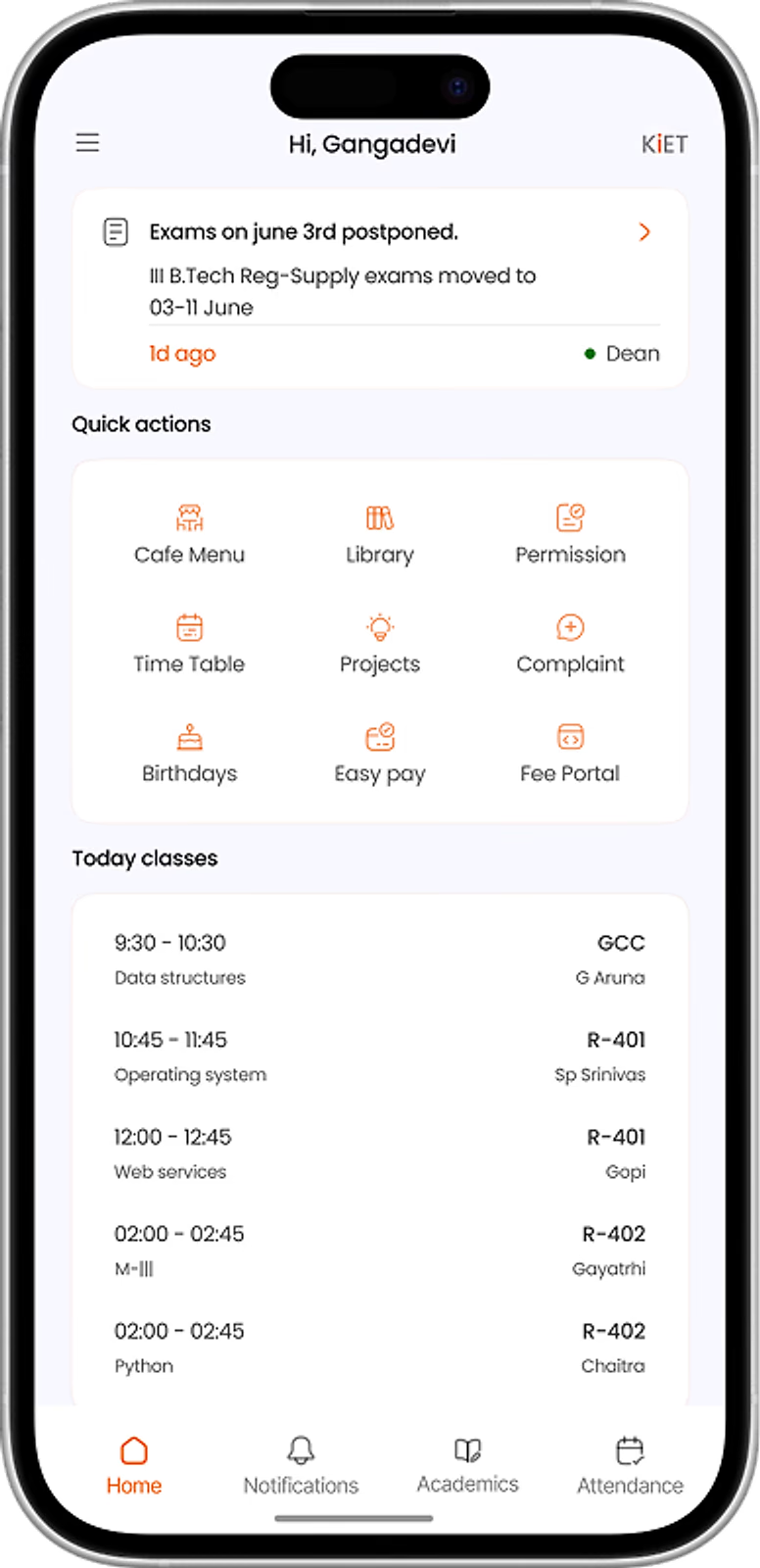
1/6 Never miss an update
KIET Student App brings campus information, academics, and student services into one mobile platform. It helps students access daily updates and tasks more easily.
Student Experience
Students relied on WhatsApp, PDFs, and multiple websites for important college information. This made updates harder to find and easy to miss.
Product Response
The app brings announcements, attendance, academics, and campus services into one place. It makes common student tasks faster and more organised.
Name : Gangadevi
Role : Product Designer
Contribution:
Name : Bharath Prakash
Role : Android Developer
Contribution:
Spoke with students to understand their daily tasks, frustrations, and difficulties with the existing experience.
Organised the findings into clear user needs and focused on the tasks students performed most often.
Mapped the information architecture, user flows, and wireframes to create a clear foundation for the app.
Reviewed the flows with students and refined areas that felt unclear, slow, or difficult to use.
Created the final interface and reusable components based on student needs and KIET's visual identity.


Four moments from one student's day. Each one is a tiny decision, and the reason a feature exists.
Wait… is there class today? Did anything change?
I want to see my schedule & important updates
Home leads with today
I know what needs my attention
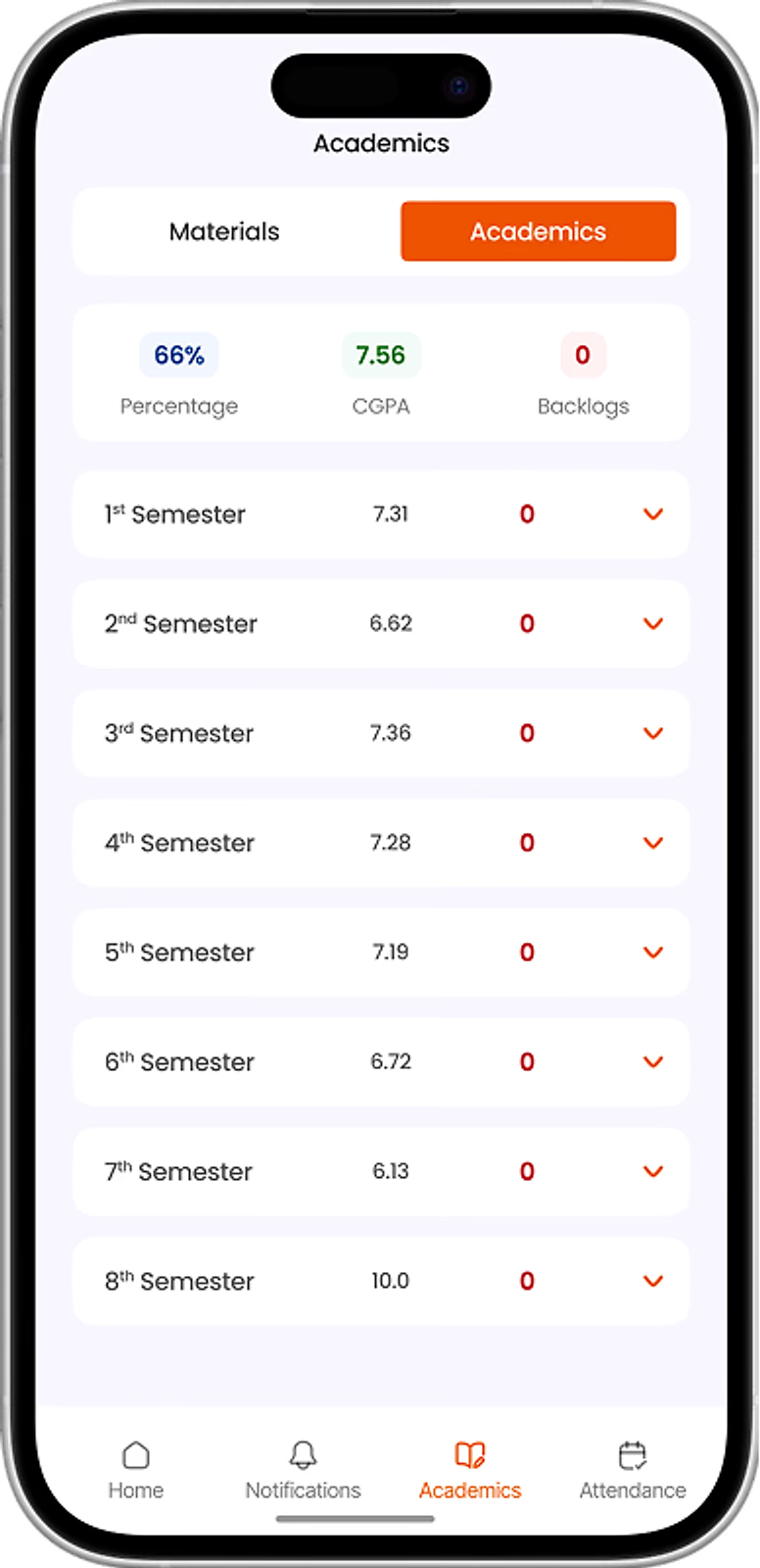
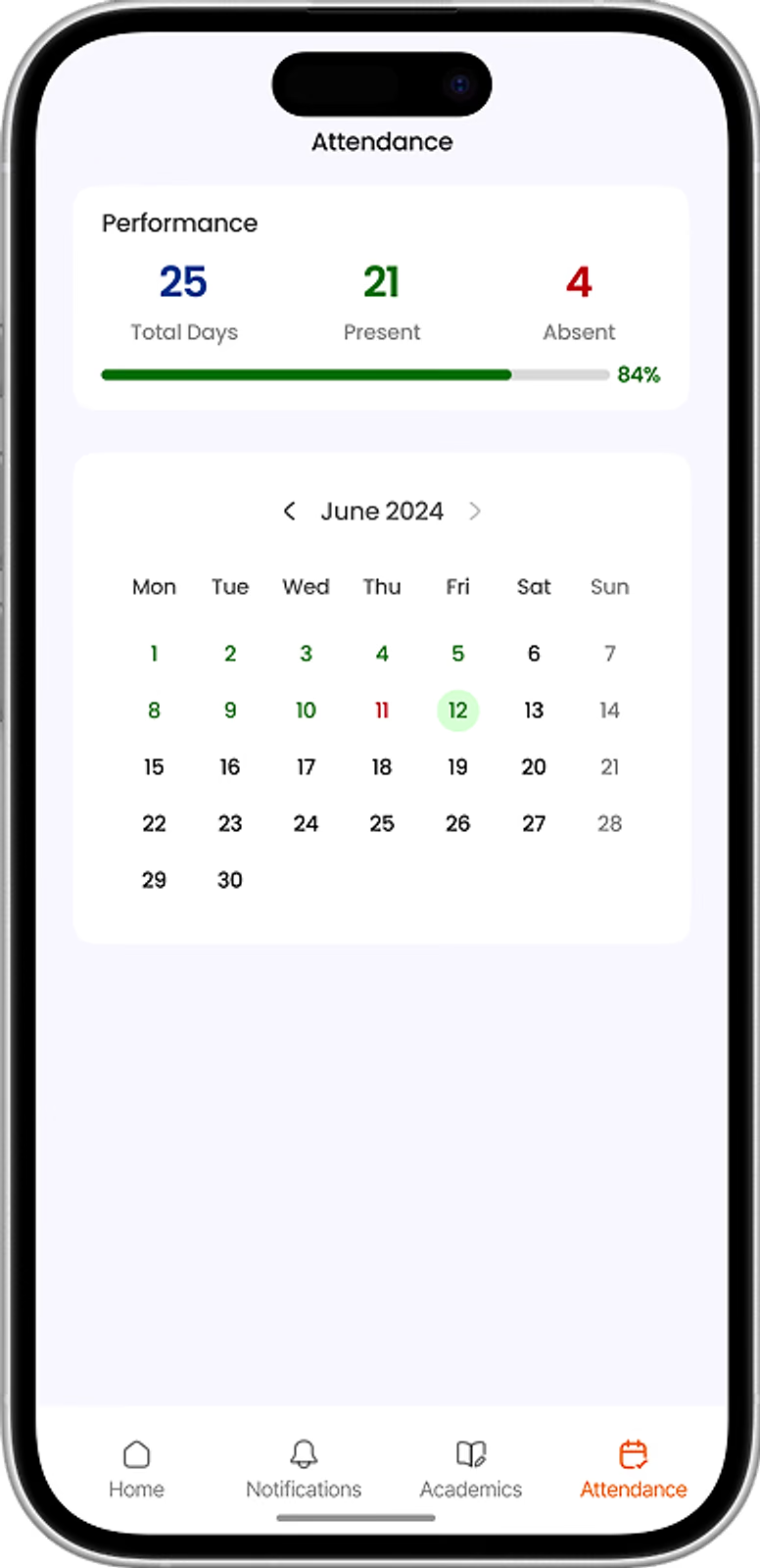
Am I safe on attendance? What did I even score?
I want to see attendance & results quickly
Results & attendance, one tap
I can track my progress
Do I really have to chase sir again?
I want to submit a request & check its status
Request status, always visible
I do not need to contact faculty repeatedly
Café menu? Library hours? Where is anything?!
I want to find services like café, library & timetable
Every service in Quick actions
I can access everything in one place
KIET Student App keeps campus life effortless: sign in, see what is new, do the task, and track it. Simple taps. No chasing.
Roll number and password. You are in.
Today, at a glance.
Updates and attendance, one tap away.
Every campus service in one grid.
Fill it in once. Watch it move.
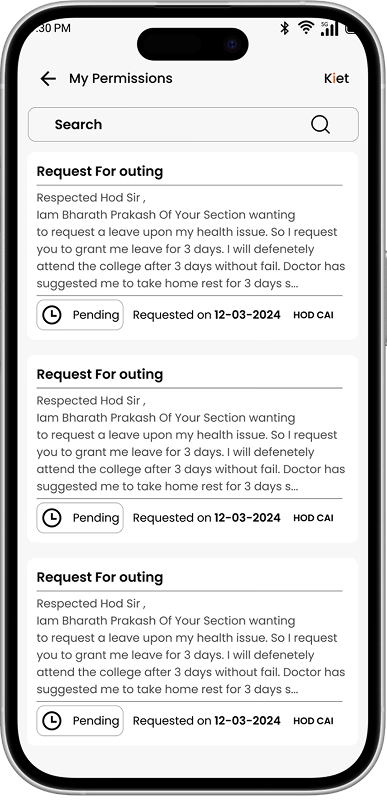
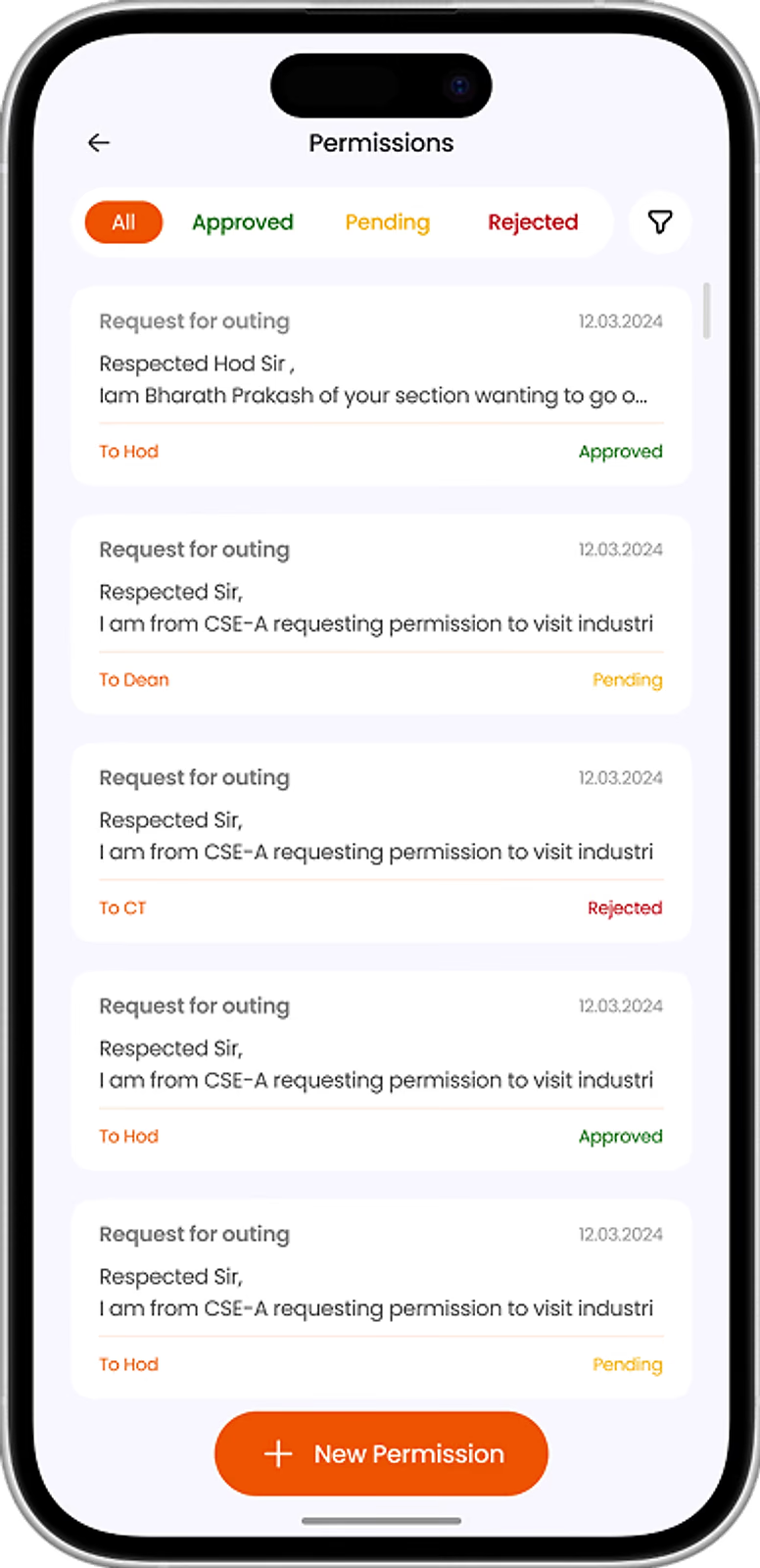
Students had limited visibility into their permission requests, making it difficult to understand their status and know when follow-up was required.
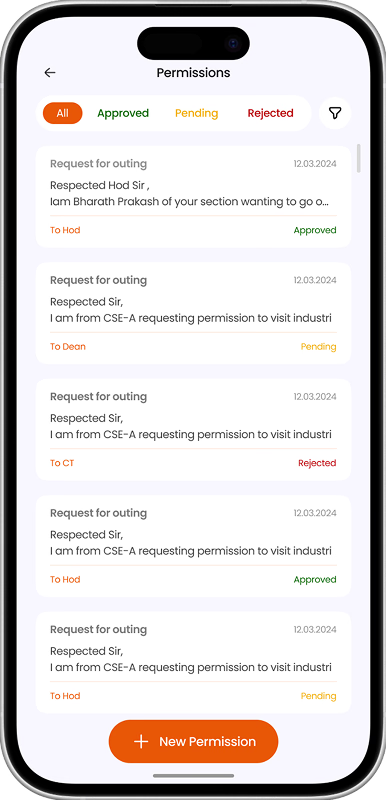
The current iteration creates a clearer request lifecycle, helping students quickly understand approval status, responsible authorities, and the next action required.
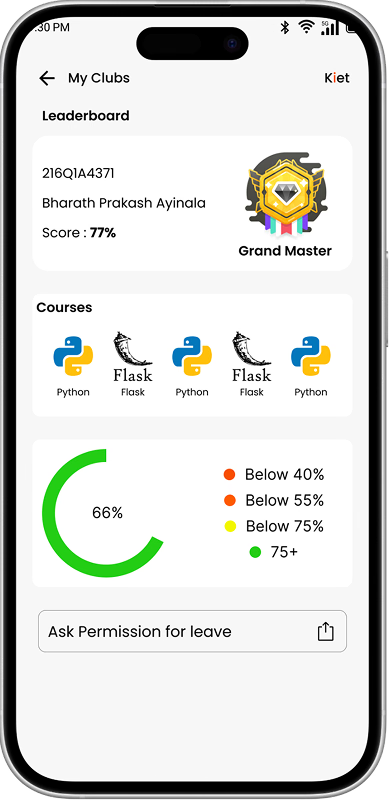
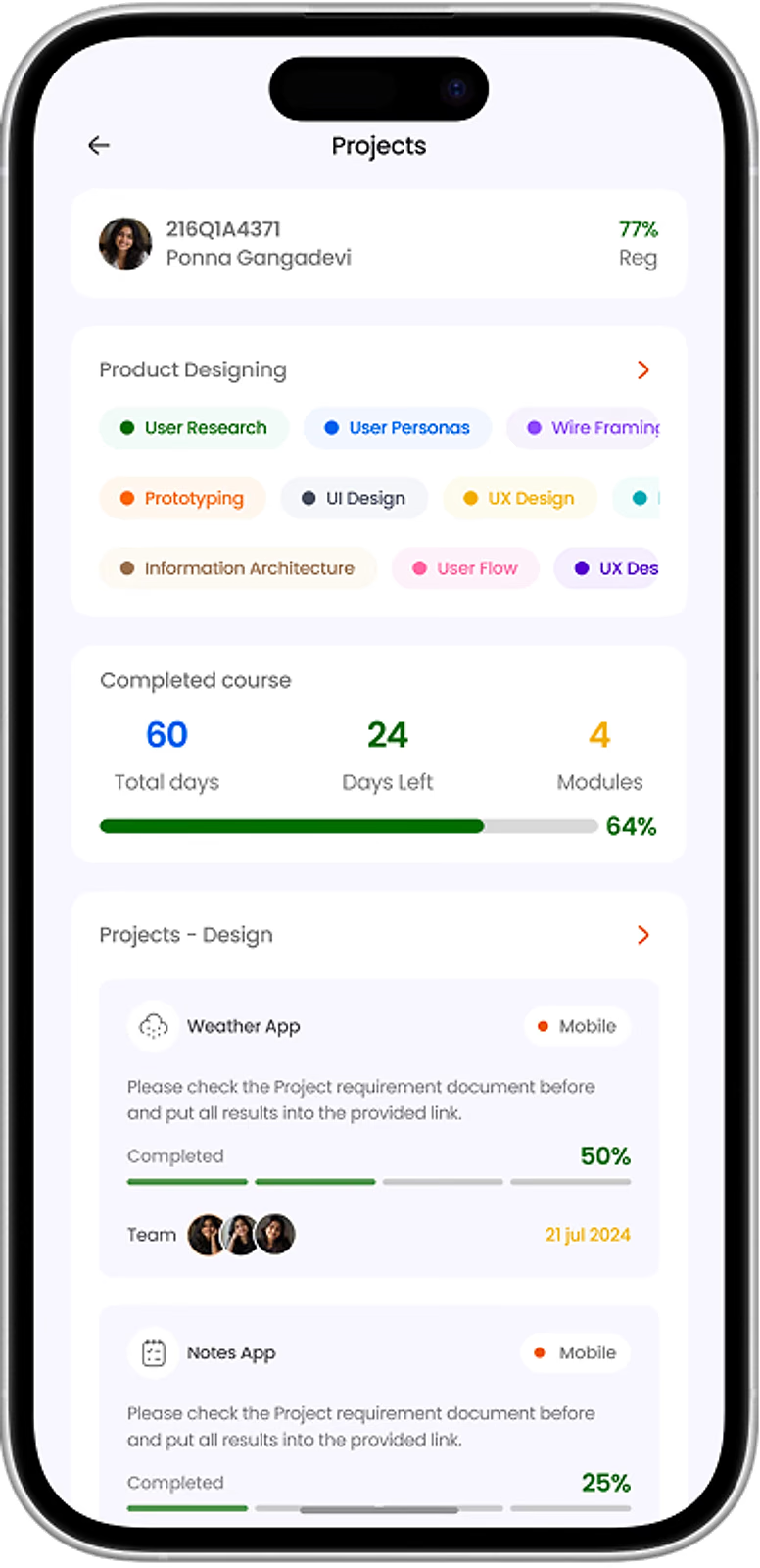
Project information was spread across different areas, making it difficult for students to understand overall progress, deadlines, and individual responsibilities.
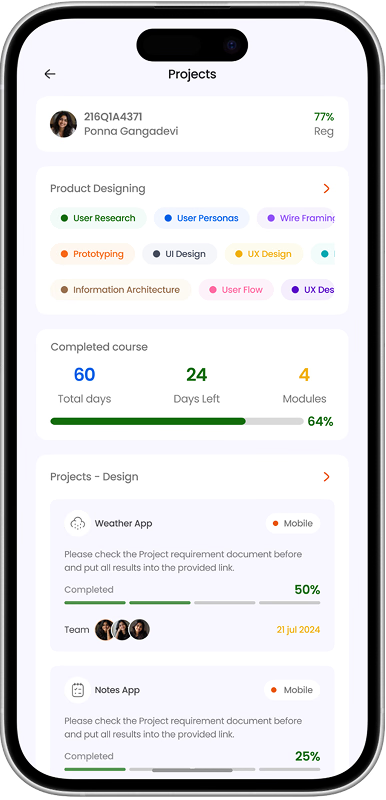
The current iteration brings important project context together, helping students understand progress, track responsibilities, and stay aware of upcoming deadlines.
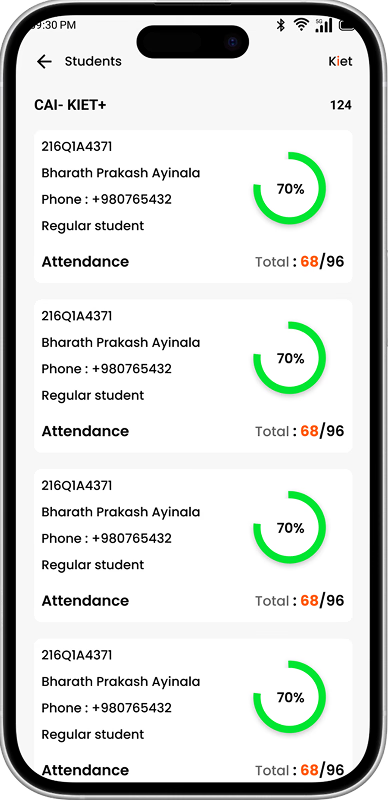
The existing experience made student information harder to scan, slowing down how quickly admins could find and review students.
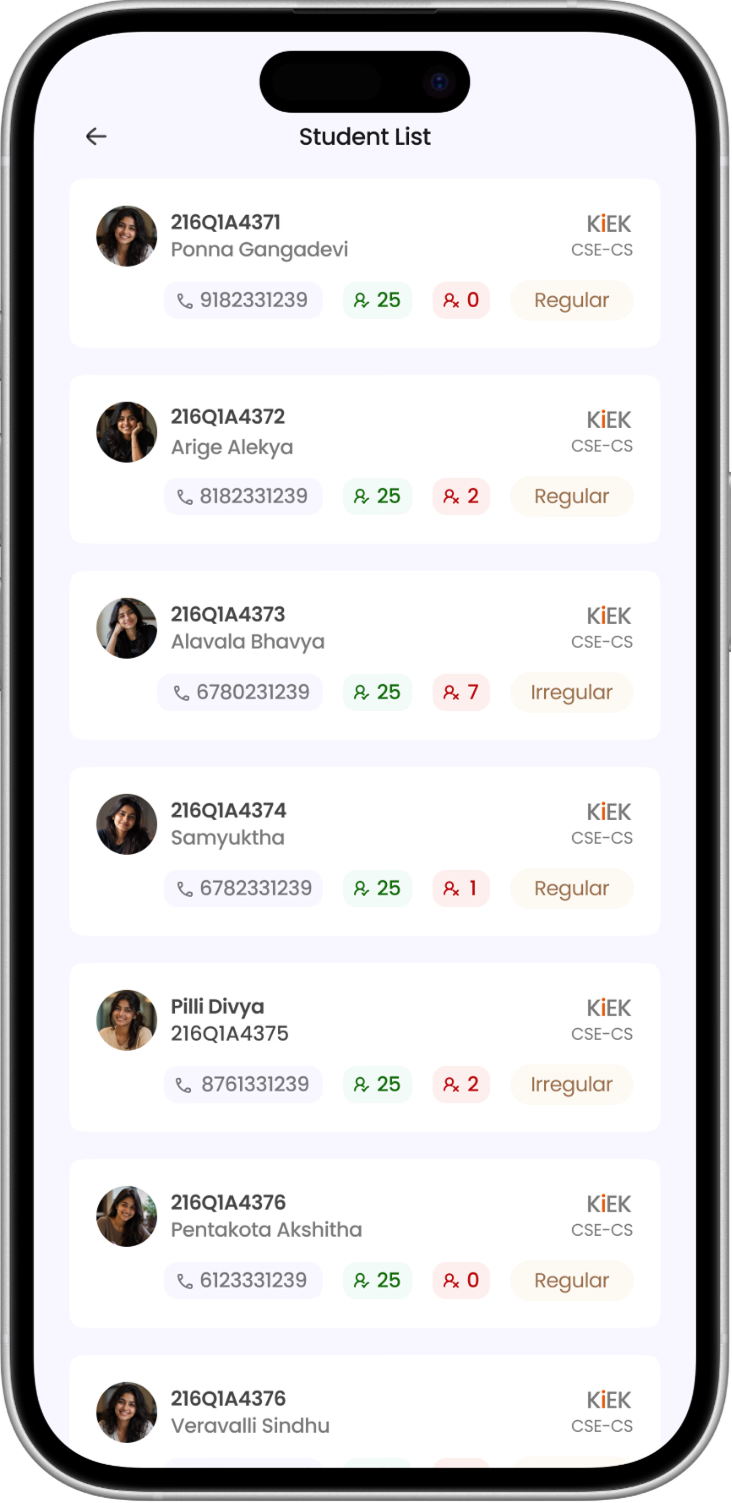
The iteration focused on making student information easier to scan and navigate, improving efficiency for everyday administrative tasks.
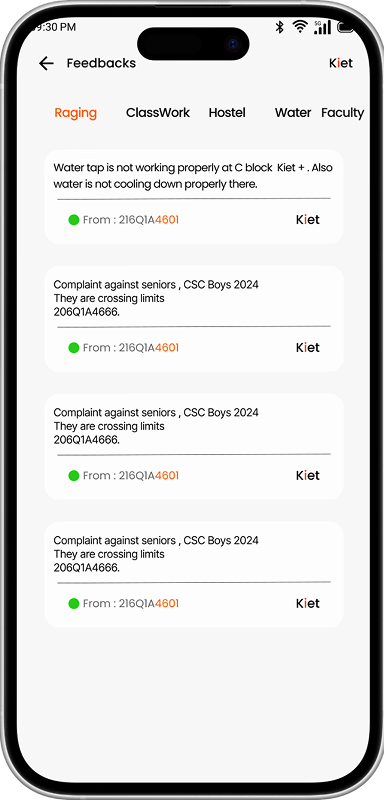
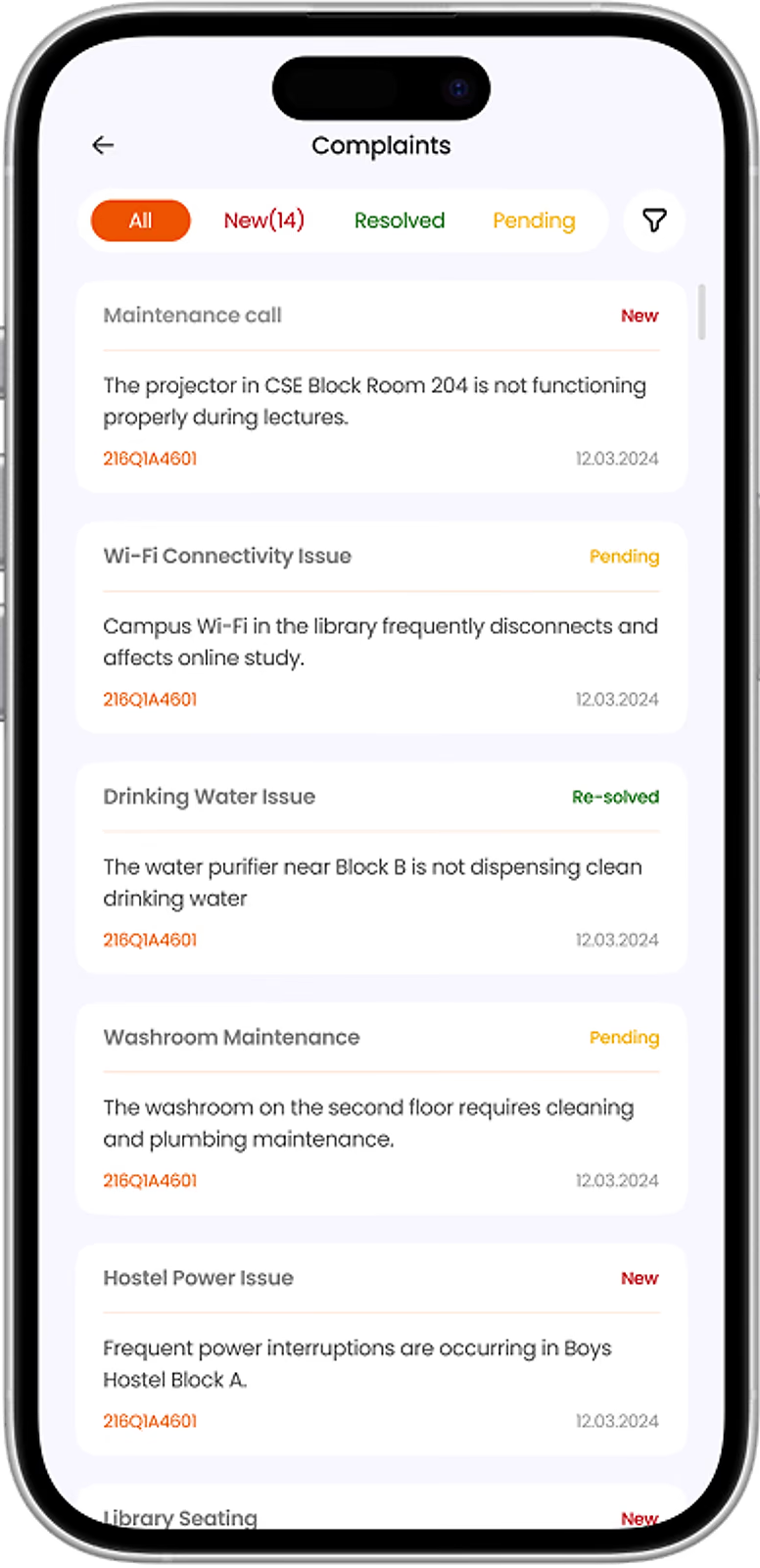
The existing experience made it harder to understand which complaints needed attention, creating friction in everyday issue management.
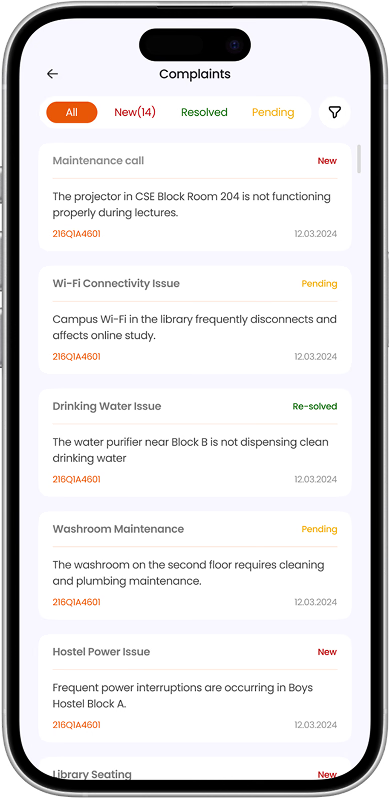
The iteration focused on improving clarity around complaint handling, making it easier for admins to manage issues at a glance.
it is very helpful for our college students to manage all works in a single app. And we can check my percentage and daily attendance here
8 people found this helpful
As a KIET Student this app is very useful different purposes of students like academic pdf's cafe menu, results etc… I would recommend everyone to install this app to get latest update on everything regarding KIET groups.
10 people found this helpful
The first app for our college is ready to rock. The features are too good and happy to see the developer is from our KIET itself. Smooth experience.
10 people found this helpful
Excellent app for kiet all sources can be viewed here thankyou for making this app.
1 people found this helpful
Very useful thank you now no need to search any links. Loved it
1 people found this helpful
It is really a good recommended app for the students who are in kiet. And its provides pdfs in semesters wise.
5 people found this helpful
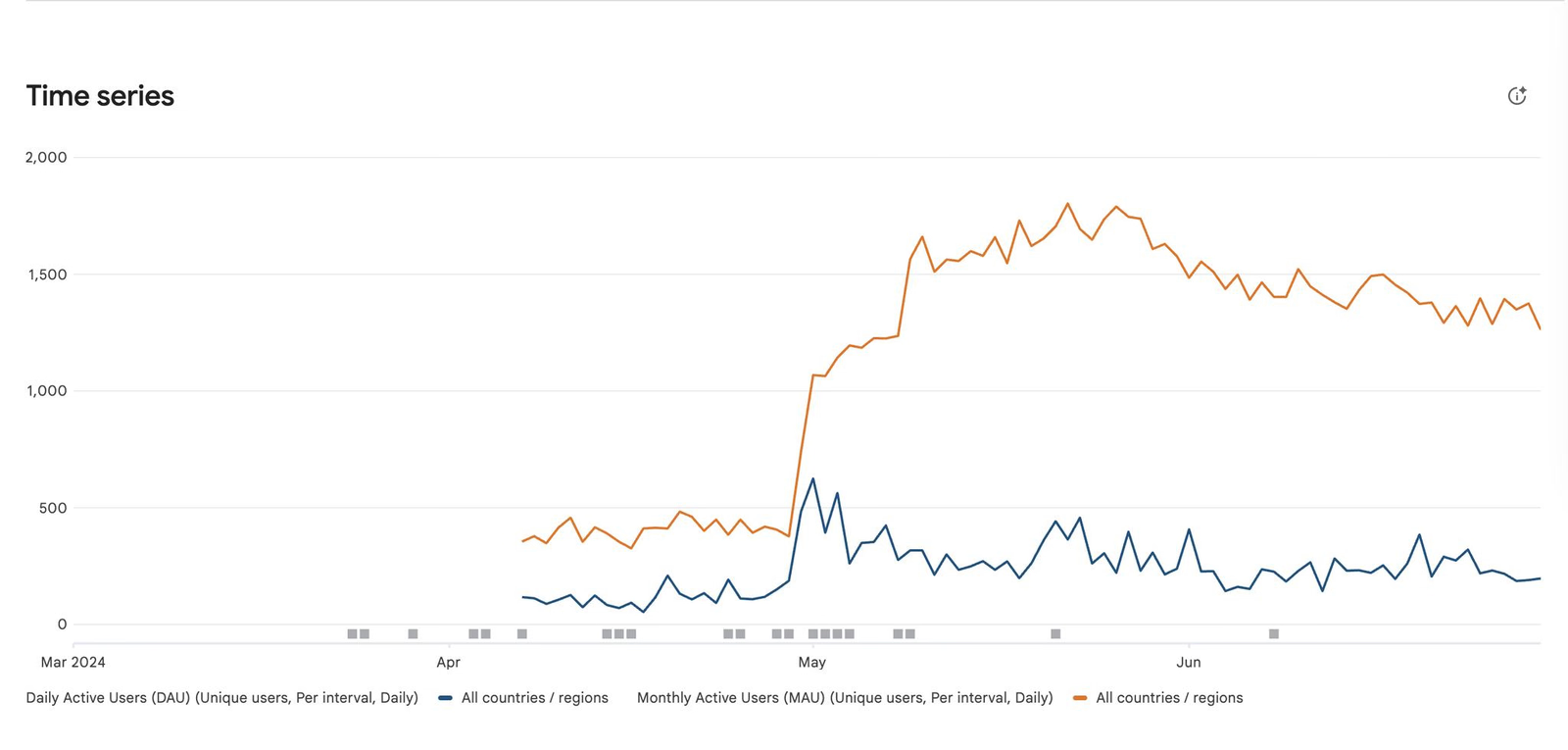
The app saw strong adoption after launch, with students continuing to discover and install it over time.
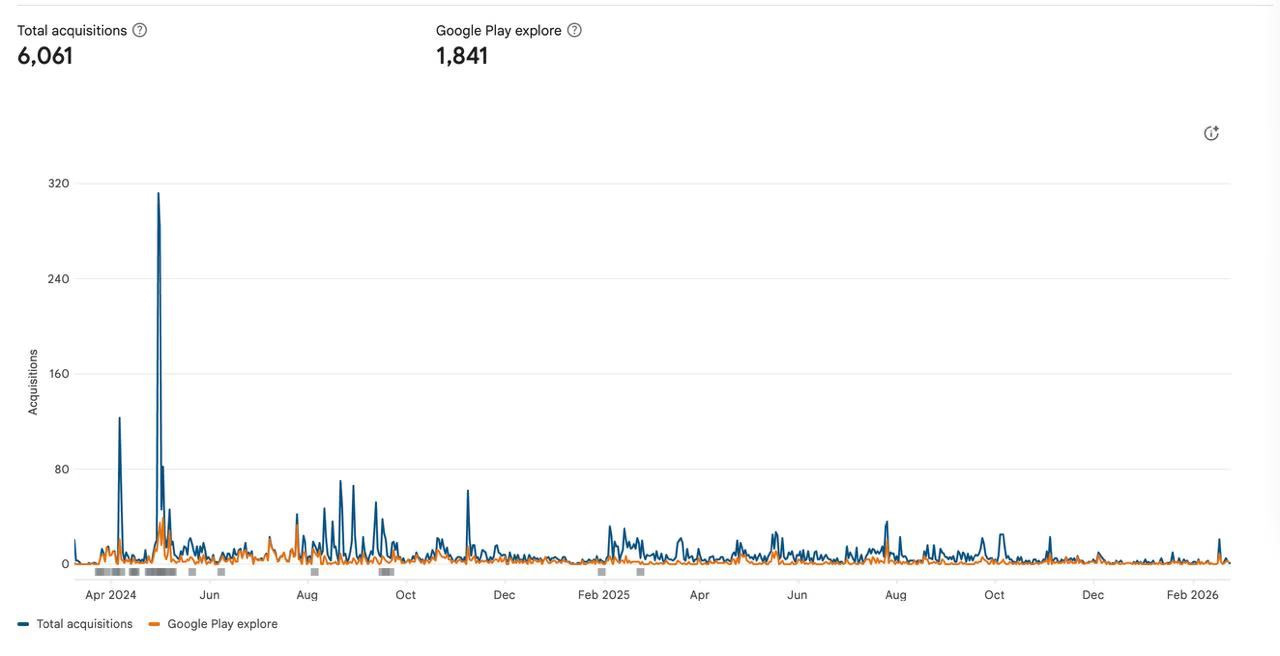
Usage increased around key academic periods, showing that students returned to the app when campus information mattered most
This was my first major project, and one of the most meaningful learning experiences in my design journey. It gave me the opportunity to understand how a real application works beyond the screens — how people interact with it, how teams build it, and what it takes to make a product useful in everyday life.
As my understanding of design grew, I continued to iterate and explore newer versions of the product. These iterations were not developed, as we had graduated from college and the project had already moved into implementation with the support of the management.
It taught me that designing a product is not just about making it look good — it is about making it work for real people.